Jarvis: the voice assistant in Osiris
Voice is the ability in Osiris that lets you work by talking — an AI voice assistant for your PC, right inside Osiris, a desktop app for Claude Code. The assistant is called Jarvis by default, and you can give him another wake name. He listens for his name, answers aloud and acts for you in Osiris: he opens a project in Studio, starts a build or passes a question to Claude. Voice runs on Windows, macOS and Linux, is still in beta and can be switched off at any time.
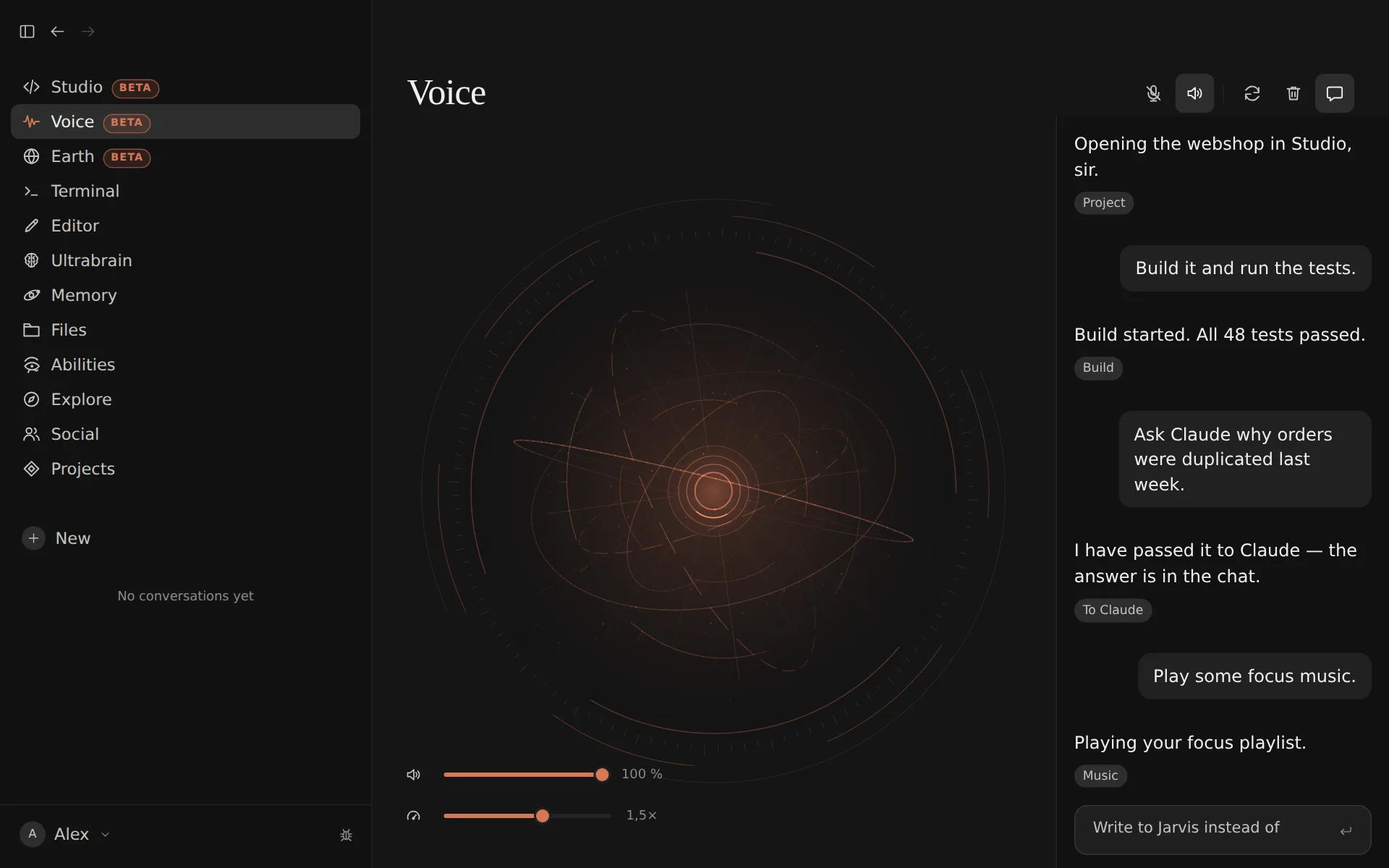
Call him by name
Jarvis reacts to his wake name. It is set to “Jarvis”, and you can change it under Settings → Voice. Speech recognition does not always hear a name the way it is spelled, so you can add your own keywords: the forms it tends to hear instead. You also choose the language you speak — German, English or automatic — and which microphone Osiris listens to.
Listening stays on your machine
By default, Osiris recognises speech with Whisper, and it does so locally, inside the Osiris window — with transformers.js and ONNX, on your own computer. The program and the model are downloaded once, from jsDelivr and Hugging Face; after that, Osiris serves them from your disk. There are four model sizes to choose from: tiny, base, small and large-v3-turbo.
If you prefer, recognition can run through ElevenLabs Scribe instead. That needs an ElevenLabs API key, and what you say is then sent to ElevenLabs to be recognised.
He answers aloud
Jarvis speaks his answers. For his voice you can connect ElevenLabs — with your own API key or with Sign in with ElevenLabs. Without ElevenLabs, your computer's own system voice speaks, if it has one: no account, no key. Volume and speaking speed are adjustable. For speech output, ElevenLabs only receives the text that is read aloud.
What Jarvis can do
Jarvis works from a fixed list of actions. Whatever he understands has to fit one of them:
- Osiris itself — open views and the settings; start a chat with Claude, open one, send a message, stop a running answer.
- Studio — open a project, build it, run the selected configuration or start it in debug mode (a real debugger needs IntelliJ with the Osiris plugin), stop a run, open and create files, and hand a task to the AI chat on the right of Studio.
- Apps and the web — start the apps you have allowed, and look something up on the web while web search is allowed.
- Music — play and control Spotify, once your account is connected and only with Spotify Premium.
- On screen — fold the terminal at the bottom of Osiris open or closed (he opens it, but types nothing into it), click buttons, tabs and menu entries in Osiris, fill in its fields, and switch between light and dark.
- Weather — once you have entered your city under Settings → Voice, Jarvis gets the weather from wttr.in; as long as he addresses you with the default “Sir”, he answers a plain weather question asked in German (“Wie ist das Wetter?”) without asking Claude; anything else goes to Claude.
Longer work goes to Claude: Jarvis sends your request into a chat in Osiris or, when it is about the open project, to the Studio chat — and the answer appears there. That makes Jarvis a voice assistant for coding, not a replacement for the keyboard: voice control for your work with Claude Code.
You decide what he may touch
- Apps only from your list. Outside Osiris, Jarvis starts only what you have added to the list of allowed apps yourself, entry by entry. He can pick an entry, but not add one.
- Hands off the sensitive controls. When he operates the screen, Jarvis leaves alone anything that deletes, signs out, disconnects or resets, every password and key field, and anything that grants a permission — his rights come from you alone.
- Deleting needs your confirmation. Before a chat, a file in Studio or the Memory is deleted, Osiris shows a dialog with a code for you to confirm. You can switch the code off; Osiris still asks, just without it — the Memory always asks with a code.
- Every answer is checked. Before anything happens, the model's reply is checked against the fixed list of actions: unknown actions are dropped, and file paths have to stay inside the open project.
- Desktop is off-limits. The Desktop ability changes how Windows looks; that stays with you — Jarvis can neither switch it on nor use it.
- Off means off. Without the Voice ability, Osiris stays silent and does not listen.
Which model answers
Behind Jarvis is a fast Claude model: Claude Haiku by default, Claude Sonnet if you choose it in the settings. Osiris reaches it in one of two ways — with an Anthropic API key, the faster route, or through your existing Claude Code sign-in. Claude receives what you said, as text, together with what Osiris is showing at that moment: the open view, your chats, the Studio project, your allowed apps and the controls on screen. It also gets the date and time, your name and form of address, the song playing on Spotify if it is connected and — if you have entered a city — that city and its weather. How Osiris uses Claude in general is described under AI transparency.
Beta: what to expect
Voice is marked as beta in Osiris. How well Jarvis understands you depends on your microphone. Spotify works only once it is connected, and web search only while it is allowed. If Voice is not for you, switch the ability off under Abilities; the rest of Osiris works without it.
“Jarvis” is the name of the voice assistant in Osiris; there is no connection to any third party. ElevenLabs and Spotify are trademarks of their respective owners, and Osiris is not affiliated with them.