Osiris for IntelliJ IDEA
Osiris for IntelliJ is a plugin that adds an Osiris window on the right-hand side of IntelliJ IDEA. In it you chat with Claude about the project you have open, attach the file you are looking at and browse your Ultrabrain — the lean edition of Osiris, usable without the desktop app. When the desktop app runs as well, the plugin links IntelliJ live to Osiris Studio.
The plugin runs in IntelliJ IDEA 2024.3 or newer (build 243 and up), in the Community and the Ultimate edition. It builds on IntelliJ's Java module, so it is made for IntelliJ IDEA itself.
Chat with Claude inside IntelliJ
The chat goes through Claude Code on your computer, with the login Claude Code already has. If it
has none yet, claude auth login in a terminal sets it up — IntelliJ's own terminal
works too. Your Claude credentials stay in Claude Code. Claude reads, edits and explains the code
of the open project.
- Live output — the answer appears while it is being written, tool steps show up with their diff, and a stop button ends the run.
- Chats per project — every project keeps its own chats. The history itself is kept by Claude Code in
~/.claude/projects/, and the window reads it from there. - Model — Haiku, Sonnet or Opus, switchable right in the chat.
- Mode — plan (read only), edit (may change files) or allow everything (may also run commands).
- Attach with one click — the open file, or just the lines you selected, go along with your next message.
Your Ultrabrain as files
The Ultrabrain is where Osiris keeps the rules, notes and decisions Claude should know — Markdown files that link to each other. In the plugin it appears as what it is on disk: a tree of files. You can search it, create a note and open any file in IntelliJ's editor. Claude may read it as background knowledge for your questions; a switch turns that off.
The settings in the window cover your account, Claude, the Ultrabrain folder and the accent colour; the look follows the Osiris app, in dark and light. How the Ultrabrain and the Memory give Claude a lasting context is explained under Claude Code with memory.
Live with Osiris Studio
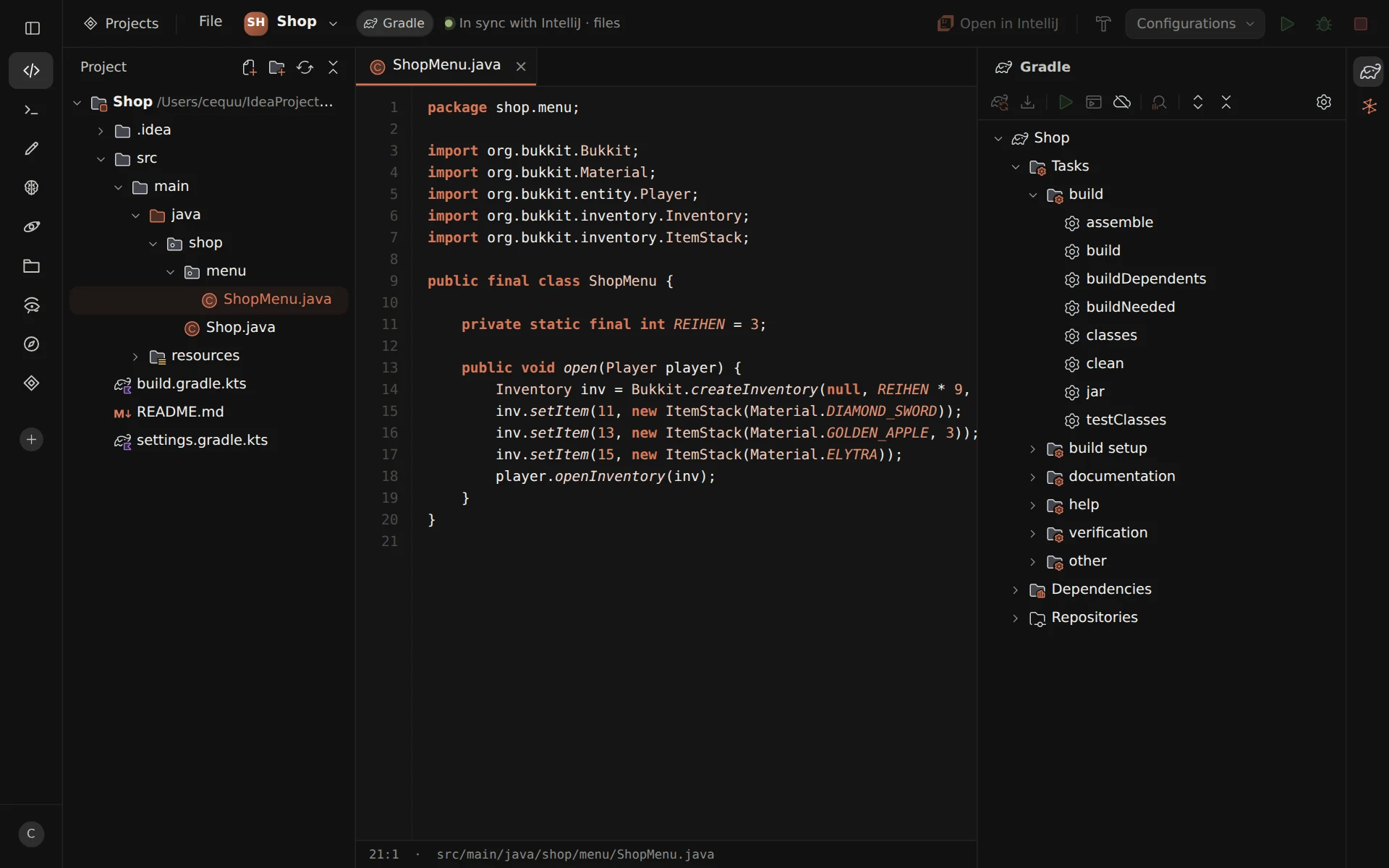
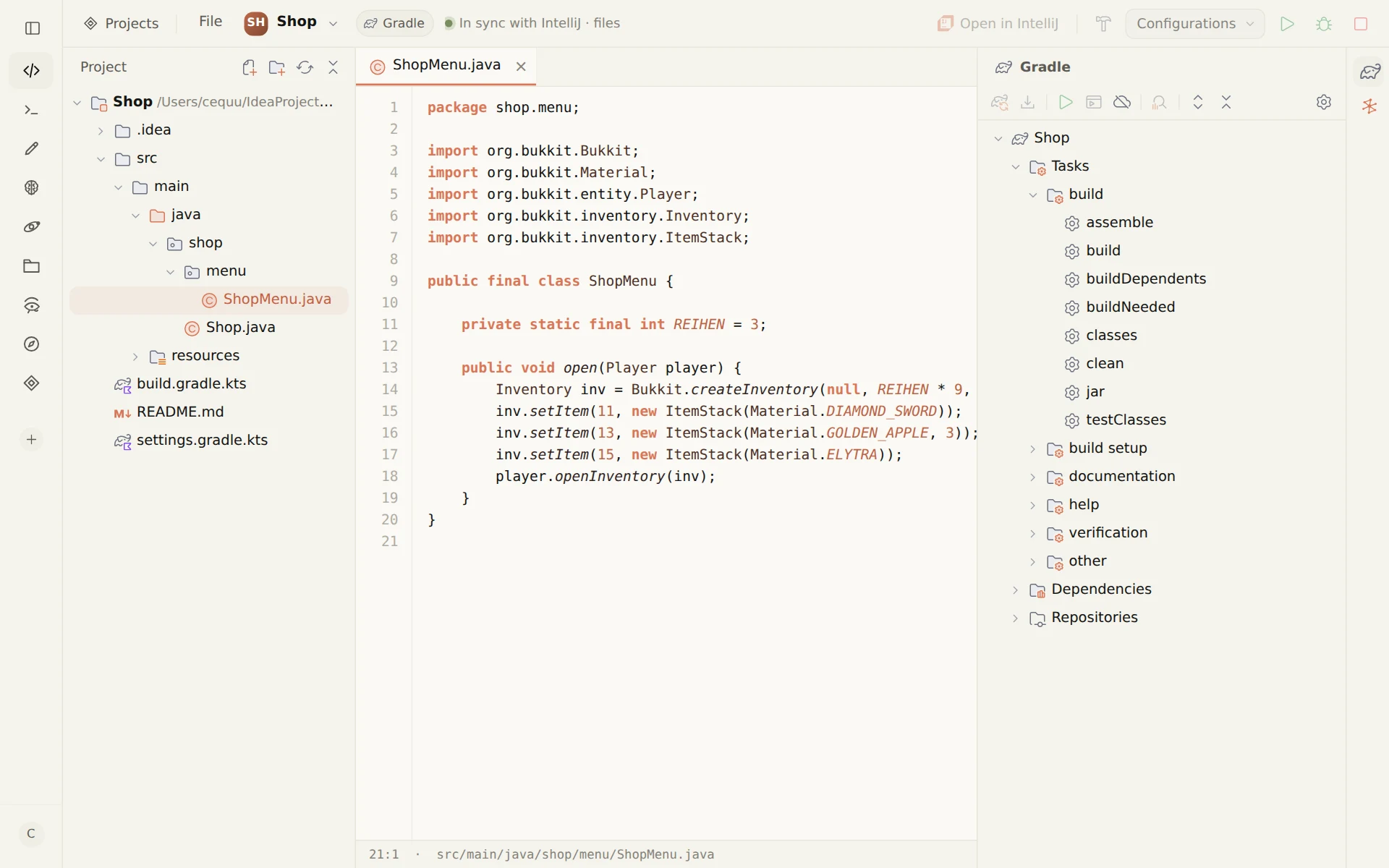
Studio (beta) is the part of the Osiris desktop app where you work on code — in IntelliJ or VS Code style, on the same files as your IDE. Even without the plugin, Osiris and IntelliJ stay in step through those files: what one side saves, the other sees. With the plugin, more comes across live, in both directions.
From IntelliJ to Osiris
- Which file is in front, with the line and column of the cursor — Studio can follow along (Follow IntelliJ)
- What you type, before it is saved
- Errors and warnings from IntelliJ's analysis, in the project tree and under the editor
- The run configurations and which one is selected
- The real Gradle tasks once the project is imported, and which goals run before or after a build
From Osiris to IntelliJ
- Open in IntelliJ jumps to the same spot in the open IntelliJ window
- What Osiris saves, IntelliJ reloads at once — not only the next time it gets focus
- Build Project and Rebuild Project, with the compiler messages
- Run, debug and stop a run configuration; select and edit it
- Run or debug Maven goals and Gradle tasks — several at once, offline, without tests or with profiles
- The context-menu actions of the Maven and Gradle tool windows, such as reload, download sources, effective POM and dependency analysis
For the link, the desktop app has to run with the Studio ability switched on and a valid licence, and the same project has to be open in Studio and in IntelliJ. The plugin then connects by itself: it checks every three seconds and finds Osiris again after a restart. To reconnect at once, choose Tools → Osiris: Neu verbinden.
This is also how Studio runs your goals and run configurations in IntelliJ, debugging included — more under Studio in IntelliJ and VS Code style and in building Minecraft plugins with Claude.
Install the plugin
The plugin is not in the JetBrains Marketplace yet. For now it comes as a ZIP file from this website.
- Download — osiris-intellij.zip from osirisui.com.
- Install from disk — in IntelliJ open Settings → Plugins, click the gear ⚙, choose Install Plugin from Disk… and pick the ZIP file.
- Restart IntelliJ — afterwards the Osiris window sits in the tool window bar on the right.
- Sign in — with your Osiris account. It needs an active licence, and the trial licence of a new account counts; otherwise you can link a licence number right in the window. The token is kept in the IDE's password safe.
For the chat, Claude Code has to be installed and signed in on the same computer — with a Claude plan that includes Claude Code, or an API key. Anthropic bills that usage directly. The plugin window is in German for now; the desktop app speaks English and German.
Security
- Only on this computer — the link to the desktop app runs over
127.0.0.1and is never reachable from the network. - Only with the password — at every start Osiris writes a port and a password to
~/.osiris/intellij.json, a file only your user account can read, and lets in only connections that know it. - No browser gets through — Osiris refuses every connection that carries an Origin header.
- No shell — Maven goals and Gradle tasks go by name to IntelliJ's own runner, never to a shell.
- Logins stay where they are — your Claude credentials stay in Claude Code; the Osiris token sits in the IDE's password safe.
Plugin or desktop app?
The plugin brings the chat and the Ultrabrain into IntelliJ. The Osiris desktop app is the full edition for Windows, macOS and Linux: chats with Claude Code in a window of their own, the Memory that learns from your conversations, Studio, an editor, a terminal and Voice (beta). What the app puts on top of Claude Code is described under a graphical interface for Claude Code.
IntelliJ IDEA is a trademark of JetBrains s.r.o.; Claude and Claude Code are trademarks of Anthropic PBC. Osiris for IntelliJ is an independent plugin; Osiris is not affiliated with JetBrains or Anthropic and is neither endorsed nor sponsored by them.